 Liquidium
Your profile
Your unique profile that connects your chains

Your Liquidium profile is your unified identity across all supported chains. It allows you to lend and borrow assets seamlessly between Bitcoin, Ethereum, and other supported networks - all from a single account.
Wallet authentication
Liquidium uses wallet authentication to create and access your account:
- Wallet authentication: Connect with your Bitcoin or Ethereum wallet
Suggested wallets
- Phantom (multichain): Great if you want one wallet experience across multiple chains. Download
- Xverse (Bitcoin-only): Great if you want a Bitcoin-focused wallet flow. Download
How deposits and withdrawals work
Every profile includes:
- Unique deposit address for Bitcoin - send BTC directly to your profile
- Flexible withdrawals allowing you to specify any destination address
You can supply Bitcoin by sending it to your unique deposit address. See the Supply page for details.
Create a profile
- Click sign in and connect your preferred wallet on any supported chain (Bitcoin, Ethereum)
- While in closed beta, you need an invite code or an invite link to join
- After validating the code, sign the message in your wallet to prove ownership
Linking accounts to your profile
Linking an Ethereum address to a profile that already has a Bitcoin address linked.
- Open the account panel and select the chain you want to link
- Connect with the new address
- Sign the approval message
- Sign the authorization message with your existing account
Unlink accounts from your profile
If you've linked wallet addresses, you can unlink them at any time.
Unlinking an Ethereum address
- Open the account panel
- Go into your General Settings
- Click "Manage linked addresses"
- Select which account you want to remove
- Sign the authorization message to unlink that address
You always need at least one authorization method to stay linked to your profile.
Notifications
You can receive optional notifications via email or Telegram about your profile.
Everything related to notifications can be found in the Profile Settings page.
Notification Types and Definitions
Critical alerts: Warnings when your portfolio health is low and liquidations may occur if it drops further
General: Successful deposits and repayments
Marketing: Stay up to date with new features and updates
Emails
After submitting your email address, you will receive a verification email where you can follow the instructions.
Telegram Bot
To connect the Telegram bot, click the "Connect Telegram" button, which will open Telegram. From there, click "Start."
Customize your profile
You can personalise your Liquidium Profile by adding a username and selecting an NFT/Ordinal as a profile picture. This can be done in the "Profile" Settings page.
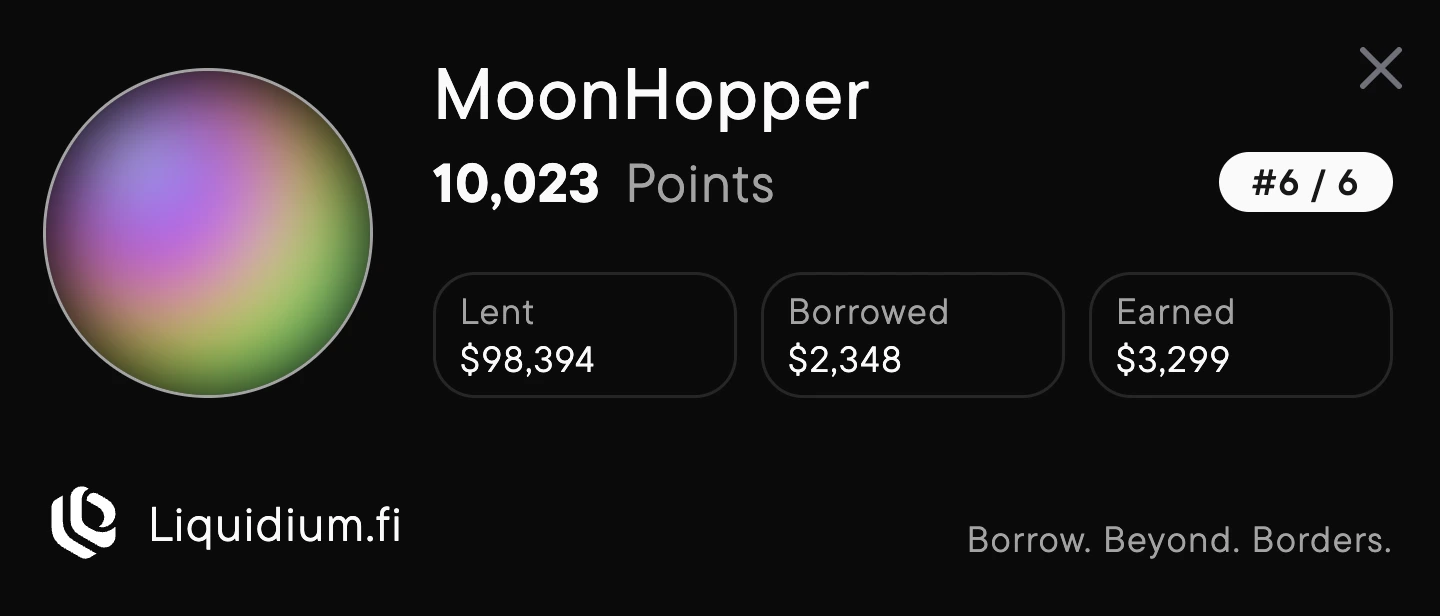
Please note that your profile username and picture can be seen on the public leaderboard.
Earn points
Users earn points by interacting with the protocol. These points determine your position on the leaderboard. Points can be earned by:
- Supplying
- Borrowing
- Repaying
- Lending streak: Consecutive days of maintaining an active supply position
- Challenges
- Referring users